I got an AI agent to tidy my iPhone Home Screen.
I sorted mine by purpose and colour to match the wallpaper. I turned it into a skill for Claude Code and Codex that sorts yours the way you choose, and shows you a picture of your own Home Screen first. I would like you to try it.
The video
Before and after
My phone now has 13 pages for about 200 apps. Each page has one purpose, and the icons follow the colours of the wallpaper behind them. It took most of a day, with plenty of retries.
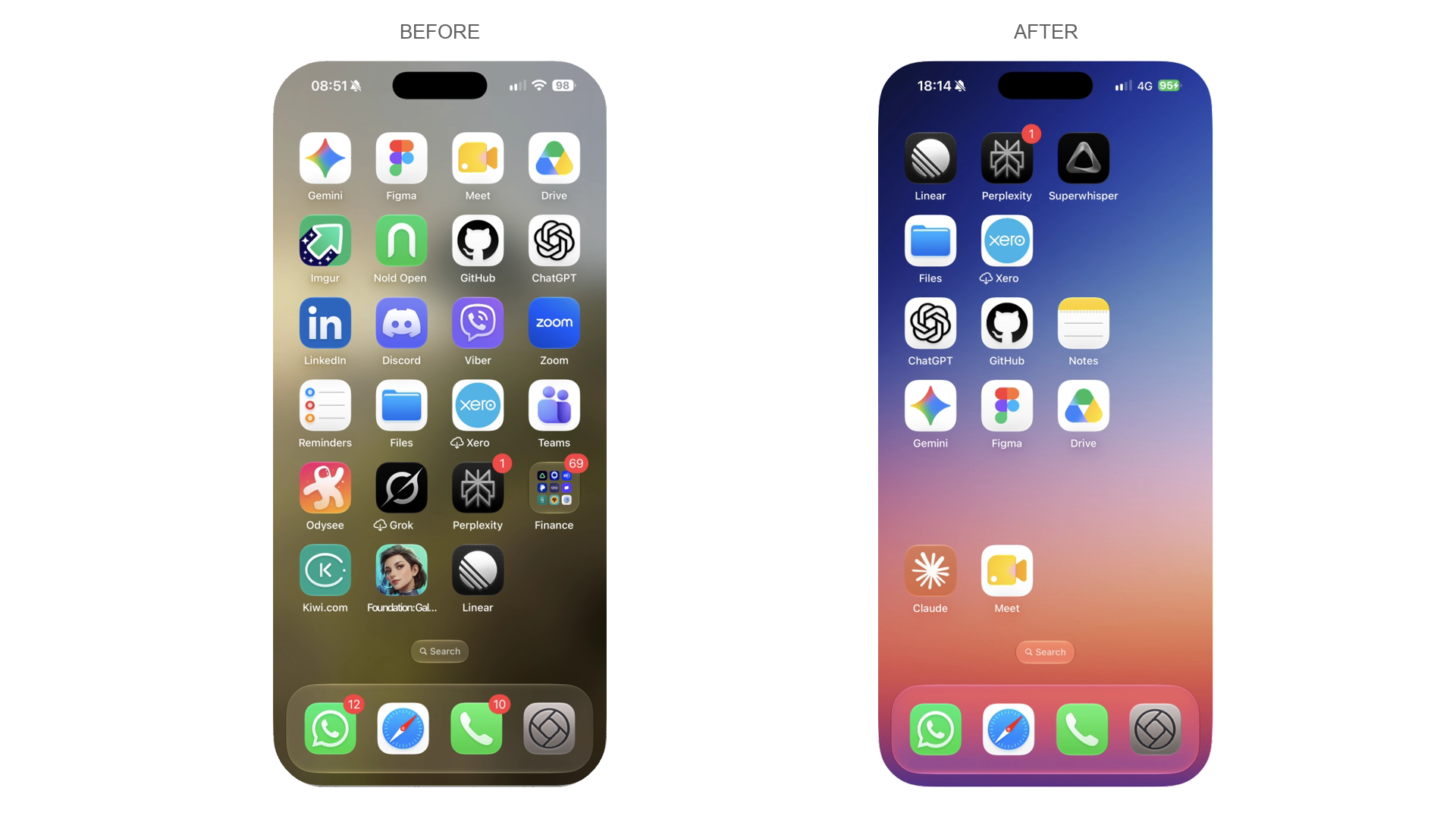
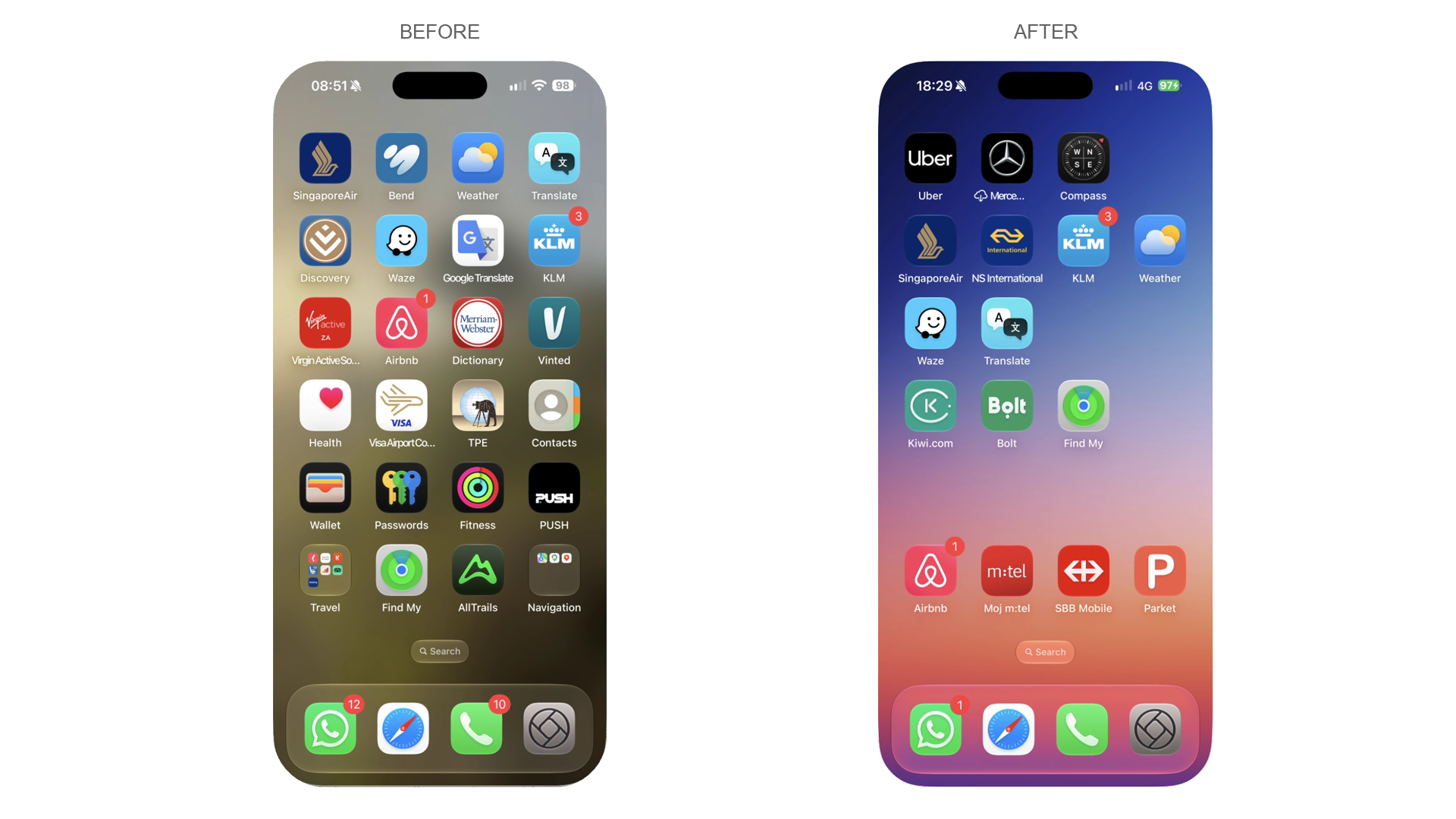
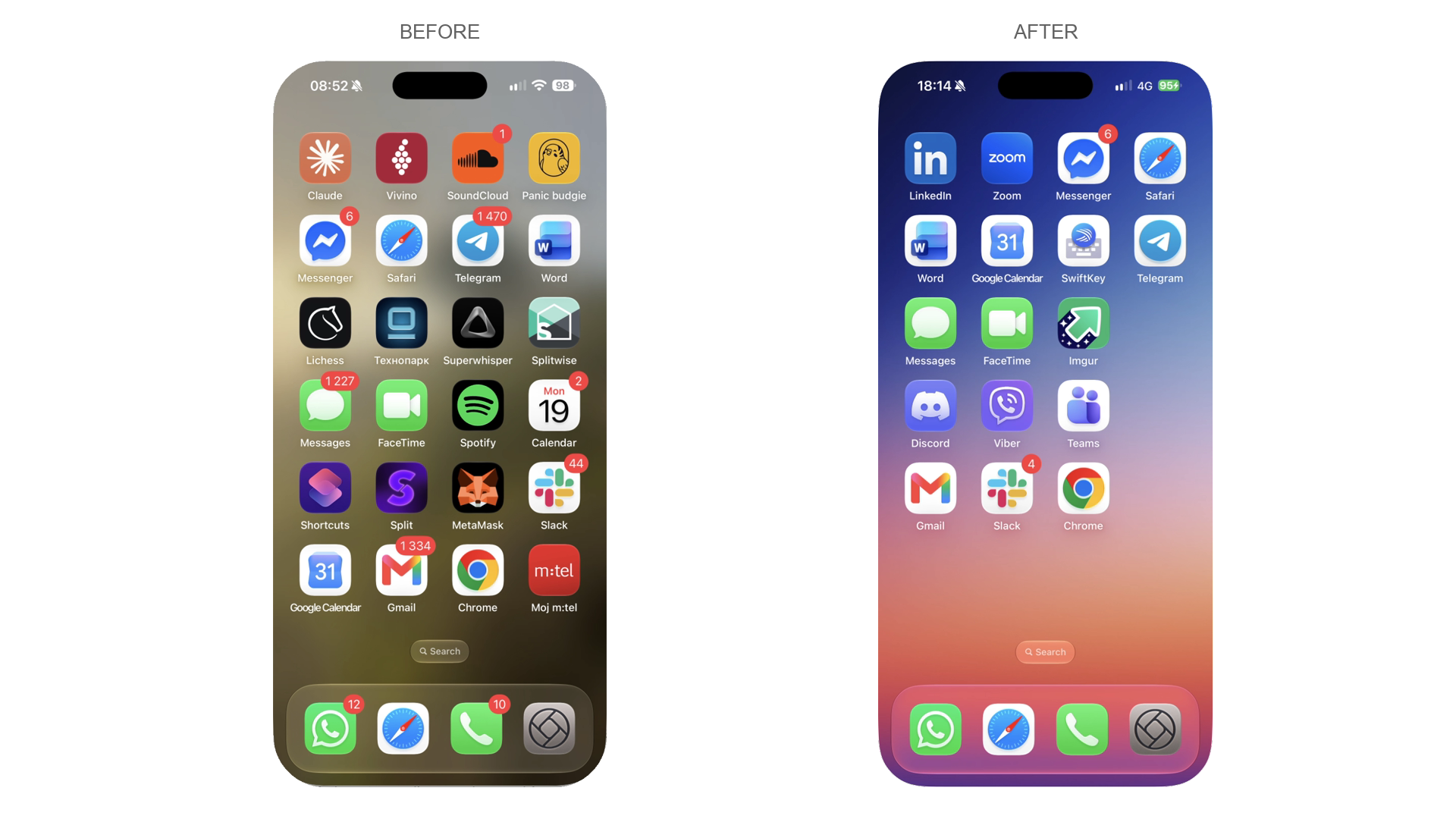
You choose how it sorts
The skill does not decide for you. It asks how you use your phone, offers the options that fit, and draws each one with your own apps before anything moves.
- Your favourites in the bottom rows of page one, nearest your thumb.
- By purpose: Travel, Money, Work and so on.
- Favourites first, then purpose. The research backs this one best.
- Alphabetical, or by colour. Colour has the weakest case for finding apps, and does nothing with tinted or clear icons.
- Purpose pages with colour inside them, matched to the wallpaper. That is my own style, and the one in the pictures above.
- Your own rule.
The guide in the skill says how strong the evidence is for each, with sources. The best-supported advice is not a sorting scheme at all: keep a small set of favourites where your thumb reaches, then stop moving things.
What it does
It reads your layout over USB, plans an arrangement row by row with the empty spaces left on purpose, and moves the icons through iPhone Mirroring on your Mac. It keeps your dock, widgets, folders and labels, and it never deletes an app unless you say so.
One thing surprised me. Apple's USB service for the Home Screen cannot hold empty cells, so any tool that writes your layout that way pushes every icon to the top left. The gaps have to be placed by dragging, which is why it is slow. I looked at the other routes I could find, and none of them is known to keep the gaps either.
Where it stands
I have only run it on my own phone, an iPhone 16 Pro Max on iOS 27.0.1, with a Mac on macOS 26.6.2. That is why I need testers.
The first part only reads your phone and changes nothing. It draws a picture of your own Home Screen as it is and as a chosen arrangement would look, and tells you how many pages, folders and widgets you have and how many drags it would take. Moving icons is the slow part, and you only do it if you want to.
To move icons you need macOS 15 or later on an Apple silicon or T2 Mac, iOS 18 or later with a passcode set, the same Apple Account on both with two-factor, and iPhone Mirroring working between them. Apple says iPhone Mirroring is not available in the European Union. If you are there, the first part is all you can test.
Try it
- Copy the skill into your agent's skills folder. For Claude Code:
git clone https://github.com/gorillabiscuit/iphone-home-screen-skill
cp -R iphone-home-screen-skill/skills/iphone-home-screen ~/.claude/skills/
For Codex, copy it to ~/.codex/skills/ instead.
- Plug in your iPhone, unlock it and tap Trust.
- Ask your agent: "Use the iphone-home-screen skill to run the requirements check and show me a few ways my iPhone Home Screen could be organised, with pictures, before changing anything." It asks before it installs anything, and it changes nothing on the phone.
If you want to go further, the skill has a guide for moving a few icons on one page first, and then a full run with a timer that records how long each move takes.
Help me test it
I would like to know what happens on a phone and Mac that are not mine. After the first part, please open an issue on GitHub with the output of the requirements check, the summary from the dry run, and anything that went wrong. Please do not send your layout file unless you are happy for me to see your apps.